Project · Proof of concept v0.1
Desktop Phone
It started, as these things often do, with a bit of frustration. Sending a text from the computer should be easy, but nothing we tried did it the way we wanted: the whole conversation in front of you, contacts at hand, and a connection that stays put. The idea's been floating around for years, and now that calls and texts don't cost anything extra, it felt like the right time to build our own, on Linux, doing just the things we actually wanted, and doing them properly.
How it works
What it does
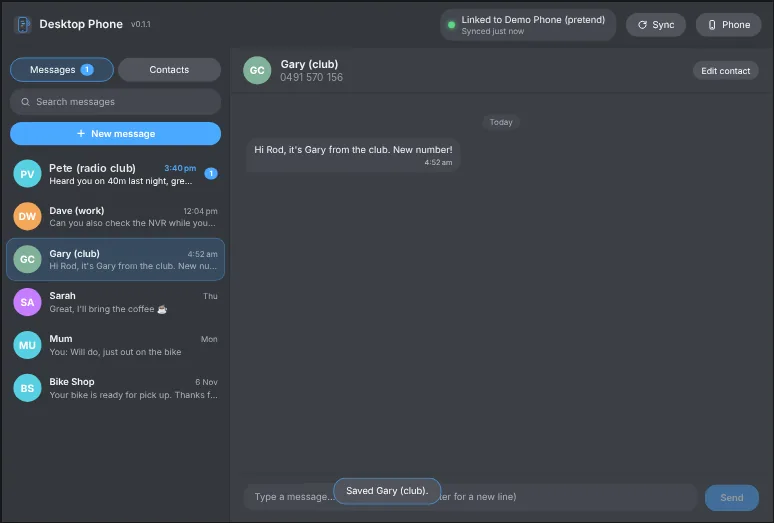
Desktop Phone links your mobile to your Linux PC over Bluetooth, much like a car's hands-free system does. Your texts and contacts turn up in a tidy window on the desktop, so you can read whole conversations and reply from a real keyboard. A copy of everything is kept on the PC, so your message history is still there when the phone heads out the door with you. New messages pop up on screen as they arrive, and a quick search finds that one text from three weeks ago in seconds.
Next up: phone calls through the PC's speakers and microphone, then call recording. Further down the track, Desktop Phone will settle right into the Linux desktop itself, so calling someone or firing off a text is as natural as opening a file, with everything still running through your own mobile.